PLC-based conveyor automation is one of the most useful practical projects for students, technicians, and industrial automation engineers. A conveyor system combines PLC programming, sensors, motor control, VFDs, timers, counters, interlocks, and troubleshooting in one practical application.
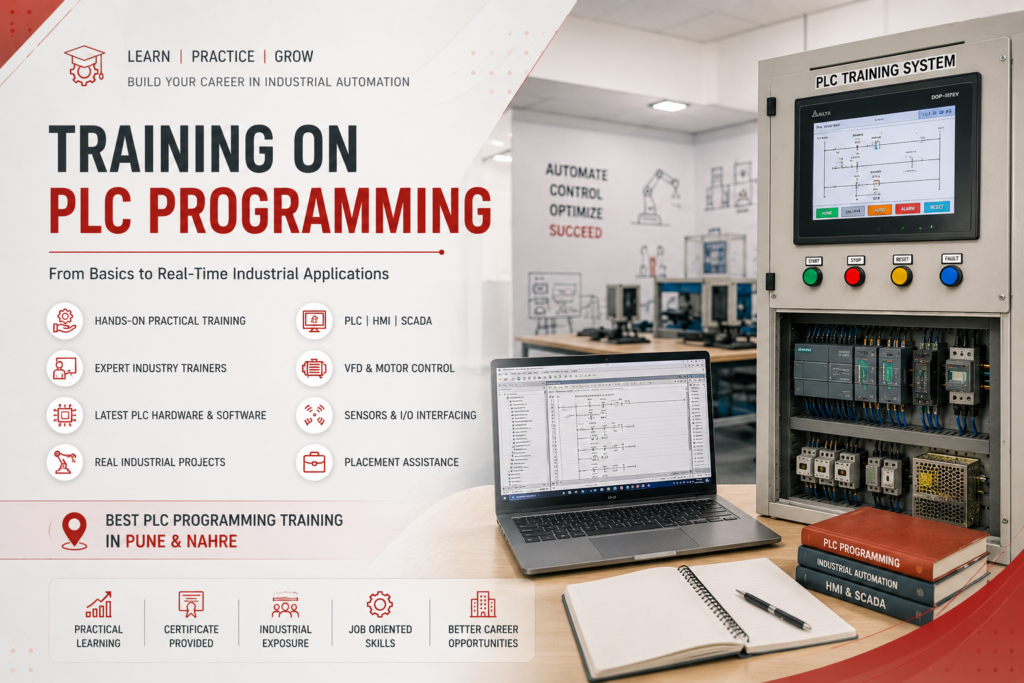
This project is also an excellent way to develop hands-on skills for anyone looking for best plc programming pune & nahre training and practical industrial automation experience.
1. What Is PLC-Based Conveyor Automation?
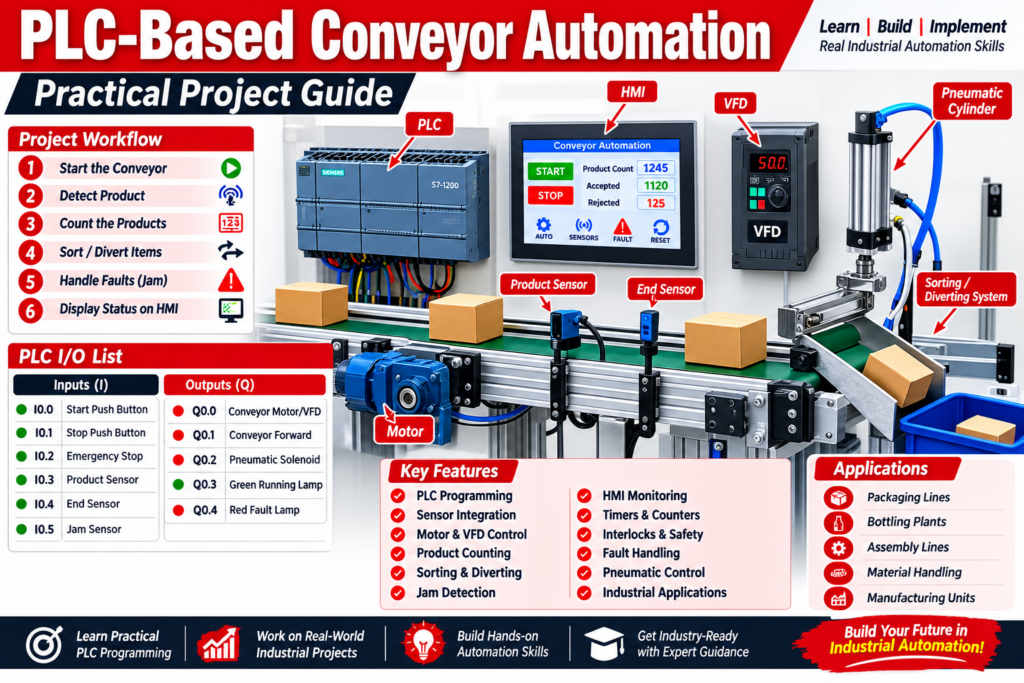
A PLC-controlled conveyor automatically transports products or materials from one location to another. Sensors detect the position or presence of products, while the PLC processes these signals and controls the conveyor motor and other actuators.
A typical system can include:
- PLC
- Conveyor belt
- Motor
- VFD or motor starter
- Start/Stop push buttons
- Emergency-stop circuit
- Proximity or photoelectric sensors
- Pneumatic actuator
- Solenoid valve
- Indicator lamps
- HMI
The PLC continuously monitors the inputs and executes the programmed sequence to control the outputs.
2. Objective of the Practical Project
The main objective is to design and program a conveyor that can:
- Start and stop through push buttons.
- Detect products using sensors.
- Control the conveyor motor.
- Count products passing through the conveyor.
- Stop or divert products when required.
- Detect basic faults such as a jam.
- Provide operator status through an HMI.
This makes the project suitable for PLC automation training, industrial automation projects, diploma projects, engineering projects, and practical PLC programming courses.
3. Basic Hardware Required
| Component | Purpose |
|---|---|
| PLC | Main control system |
| Conveyor | Material transportation |
| Motor | Drives conveyor |
| VFD | Motor speed control |
| Start Push Button | Starts conveyor |
| Stop Push Button | Stops conveyor |
| Proximity Sensor | Detects objects |
| Photoelectric Sensor | Product detection |
| Emergency Stop | Safety shutdown |
| Solenoid Valve | Controls pneumatic actuator |
| Pneumatic Cylinder | Product diverting |
| HMI | Monitoring and operator control |
| SMPS | 24V DC control supply |
For a training project, a Siemens S7-1200, Allen-Bradley PLC, Delta PLC, Mitsubishi PLC, or another suitable controller can be used.
4. PLC I/O List
A simple conveyor project can have the following I/O configuration:
| PLC Input | Device |
|---|---|
| I0.0 | Start Push Button |
| I0.1 | Stop Push Button |
| I0.2 | Emergency/Safety Status |
| I0.3 | Product Sensor |
| I0.4 | End Sensor |
| I0.5 | Jam Sensor |
| PLC Output | Device |
|---|---|
| Q0.0 | Conveyor Motor/VFD Run |
| Q0.1 | Conveyor Forward |
| Q0.2 | Pneumatic Solenoid |
| Q0.3 | Green Running Lamp |
| Q0.4 | Red Fault Lamp |
The exact addressing depends on the PLC platform being used.
5. Conveyor Working Sequence
The basic sequence can be designed as follows:
START → Conveyor ON → Product Detection → Product Movement → Sensor Detection → Counting/Sorting → Conveyor Stop or Continue
For example:
- Operator presses START.
- PLC checks the required permissive conditions.
- Conveyor motor starts.
- Product sensor detects a product.
- PLC increments the product counter.
- If the product meets the sorting condition, a pneumatic cylinder can divert it.
- The conveyor continues running.
- STOP or a defined fault condition stops the system.
Using sensors to trigger conveyor actions and counters is a common PLC application.
6. Developing the PLC Ladder Logic
Network 1 – Start/Stop Logic
The first PLC network controls the conveyor motor.
Basic concept:
START + Motor Feedback → Motor Run
STOP / Fault → Motor OFF
A seal-in or latch arrangement can keep the conveyor running after the Start push button is released.
Network 2 – Product Detection
The product sensor provides an input to the PLC.
When the sensor detects a product:
Sensor ON → PLC detects product → Counting/Sorting sequence starts
Network 3 – Product Counter
A PLC counter can be used to count products moving through the conveyor.
Example:
Product Sensor → Rising Edge → Counter +1
The HMI can display:
- Total Production
- Accepted Products
- Rejected Products
- Current Conveyor Status
Timers and counters are particularly useful when developing practical conveyor automation projects.
7. Adding VFD Control
For a more advanced project, replace simple motor ON/OFF control with a VFD-controlled motor.
The PLC can provide:
- Run command
- Stop command
- Forward command
- Speed reference
- Fault reset
Communication can also be implemented using an industrial protocol such as Modbus RTU, Modbus TCP, PROFINET, or EtherNet/IP, depending on the PLC and VFD.
This allows students to understand both PLC programming and industrial motor control.
8. Product Sorting Application
The conveyor can be upgraded into a small automatic sorting system.
For example:
Sensor 1 → Detect Product
Sensor 2 → Identify Product
PLC → Decision
Solenoid Valve → Pneumatic Cylinder
The cylinder pushes the selected product into another collection area.
This type of project introduces students to:
- Sensor interfacing
- PLC ladder logic
- Timers
- Counters
- Pneumatics
- Solenoid control
- Sequential automation
9. Jam Detection
A practical industrial conveyor should also consider abnormal conditions.
For example:
If a product remains in front of a sensor longer than the permitted time:
Sensor ON + Timer Complete → JAM Fault
The PLC can then:
- Stop the conveyor.
- Turn ON the fault lamp.
- Display CONVEYOR JAM on the HMI.
- Require operator intervention.
- Allow restart after the fault is cleared.
Jam supervision and interlocks are common additions to practical conveyor PLC programs.
10. HMI Development
An HMI makes the project more professional and easier to operate.
A basic conveyor HMI screen can contain:
- START button
- STOP button
- AUTO/MANUAL selection
- Conveyor running status
- Product count
- Rejected count
- Motor speed
- Sensor status
- Fault indication
- Reset button
For students learning best plc programming pune & nahre, combining PLC + HMI + VFD + sensors provides a much stronger practical learning experience than learning ladder logic alone.
11. Safety Considerations
Safety should be designed separately from normal PLC control wherever required.
An emergency stop, guard interlock, or safety device should use an appropriately designed safety circuit and safety-rated components. The PLC program should not be treated as the sole safety function.
Before commissioning:
- Check motor wiring.
- Verify sensor wiring.
- Check direction of rotation.
- Test emergency-stop functionality.
- Verify interlocks.
- Test the conveyor without a load first.
- Check the sequence step by step.
12. Testing and Troubleshooting
A practical PLC project should be tested systematically.
Conveyor Does Not Start
Check:
- PLC RUN status
- Start input
- Stop input
- Safety circuit
- VFD fault
- Motor contactor
- PLC output
Sensor Does Not Detect Product
Check:
- Sensor power supply
- Sensor alignment
- PLC input LED
- Sensor distance
- Input addressing
Product Counter Is Incorrect
Check:
- Sensor position
- Multiple triggering
- Rising-edge detection
- Counter reset logic
- Product spacing
Conveyor Does Not Stop During a Fault
Check:
- Fault condition
- Interlock logic
- Output mapping
- VFD status
- Safety circuit
13. How to Upgrade the Project
Once the basic conveyor works, several advanced features can be added:
- Automatic product sorting
- Multiple conveyor zones
- VFD speed control
- HMI monitoring
- Recipe selection
- Production counter
- Reject counter
- Jam detection
- Motor overload monitoring
- SCADA connectivity
- PLC-to-PLC communication
- IIoT monitoring
- Cloud-based production dashboard
This transforms a basic educational conveyor into a more realistic Industry 4.0 automation project.
Conclusion
A PLC-Based Conveyor Automation Project is an excellent practical platform for learning industrial automation. It brings together PLC ladder logic, sensors, motors, VFDs, timers, counters, HMI, pneumatics, interlocks, and troubleshooting.
For students and technicians searching for best plc programming pune & nahre, a conveyor project provides hands-on experience that can be directly connected to real industrial applications such as packaging, bottling, manufacturing, assembly lines, material handling, and sorting systems.
The most effective approach is to build the project step by step: I/O design → wiring → PLC ladder logic → motor/VFD control → sensor integration → HMI → fault handling → testing and commissioning.