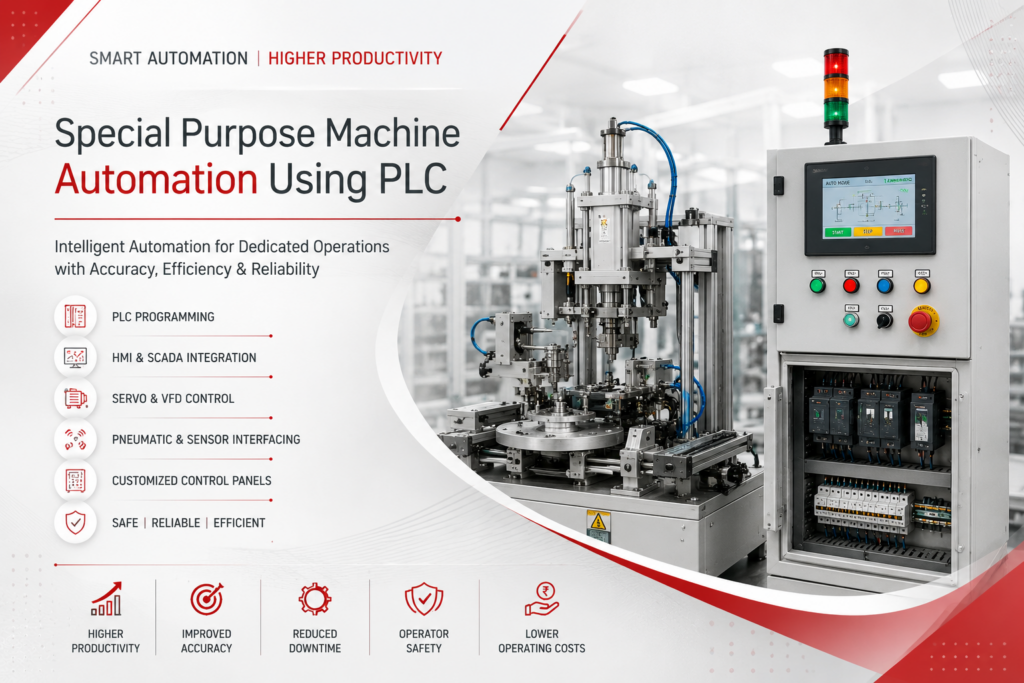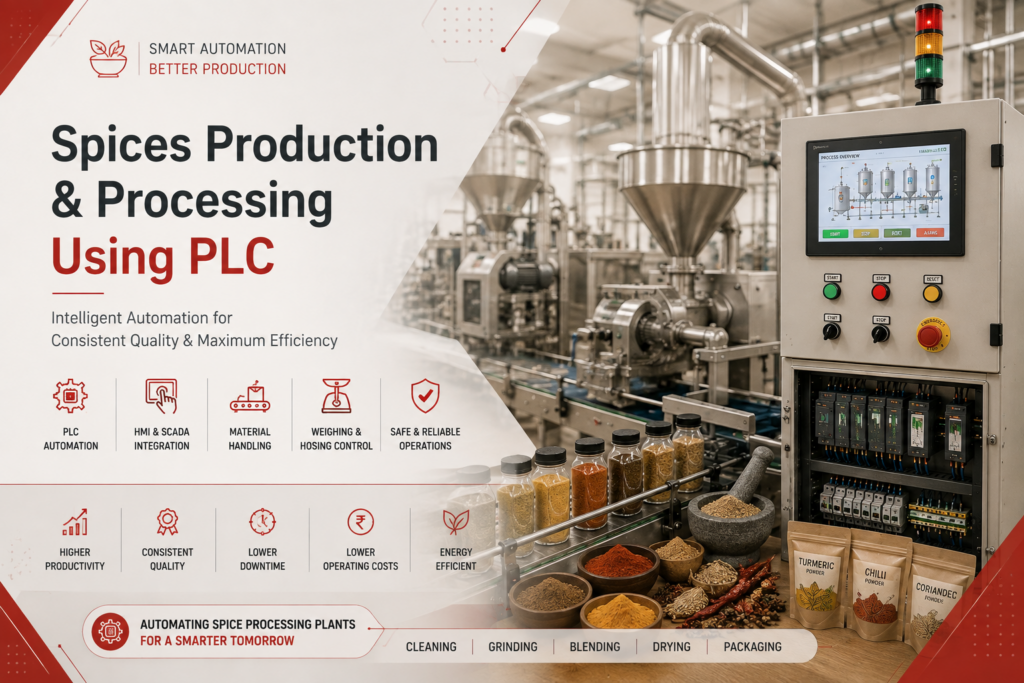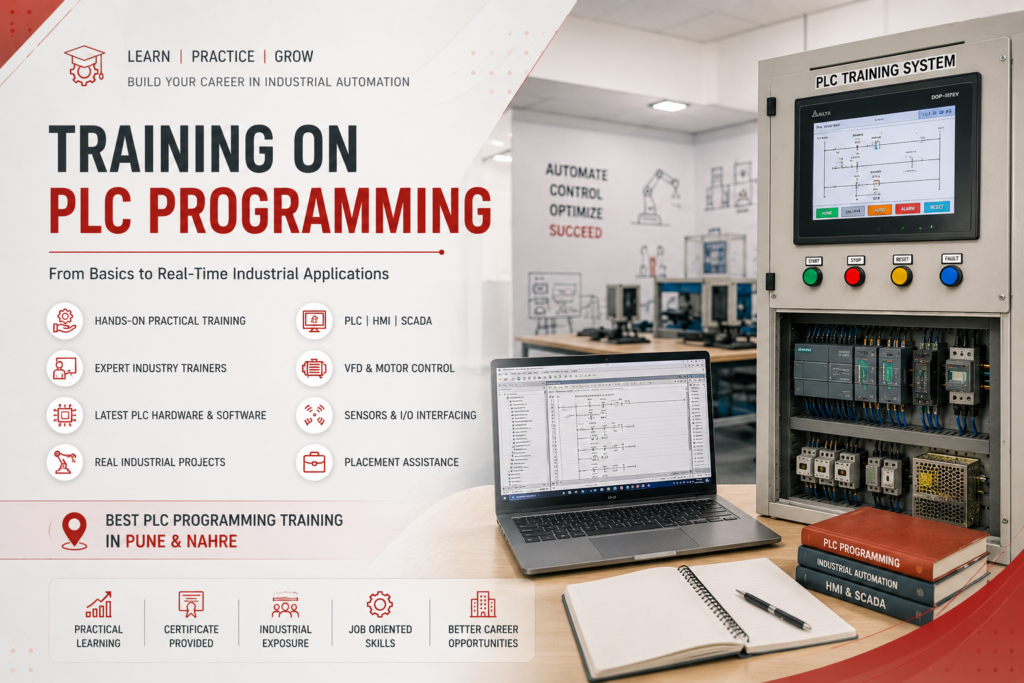
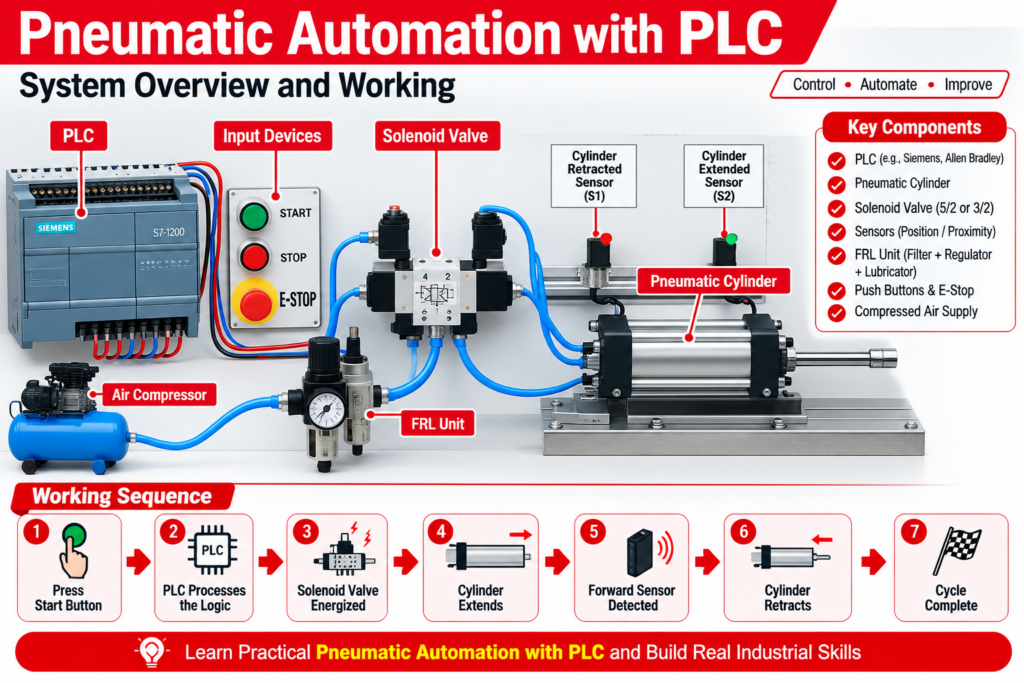
Pneumatic automation is widely used in modern manufacturing for fast, repetitive, and reliable machine movements. When pneumatic cylinders, solenoid valves, sensors, and compressed-air systems are combined with a PLC (Programmable Logic Controller), many industrial processes can be automated with accurate sequencing and feedback control.
Learning Pneumatic Automation with PLC is especially useful for students, technicians, maintenance engineers, and automation professionals who want practical knowledge of industrial automation.
For learners searching for best plc programming pune & nahre, pneumatic automation projects provide an excellent way to understand PLC inputs, outputs, ladder logic, sensors, timers, counters, interlocks, and real machine sequences.
1. What is Pneumatic Automation?
Pneumatic automation uses compressed air to generate mechanical movement through pneumatic actuators such as cylinders.
A typical PLC-controlled pneumatic system works in the following sequence:
Sensor → PLC Input → PLC Logic → PLC Output → Solenoid Valve → Pneumatic Cylinder → Position Sensor → PLC Feedback
The PLC receives information from sensors, processes the programmed logic, and activates the appropriate solenoid valve. The valve directs compressed air to the cylinder, creating the required movement. Position sensors then provide feedback to the PLC.
2. Main Components of a PLC Pneumatic System
A practical pneumatic automation system can include:
- PLC
- 24V DC power supply
- Pneumatic cylinder
- 5/2-way solenoid valve
- 3/2-way solenoid valve
- FRL unit
- Pressure regulator
- Flow-control valves
- Proximity sensors
- Magnetic cylinder sensors
- Push buttons
- Emergency stop
- Relays or interposing relays
- HMI
- Air compressor
- Pneumatic tubing and fittings
For a double-acting cylinder, a directional valve controls the airflow required for extension and retraction.
3. PLC Inputs and Outputs
Understanding PLC I/O is an important part of pneumatic automation training.
Typical PLC Inputs
Inputs can include:
- Start push button
- Stop push button
- Emergency stop feedback
- Cylinder forward sensor
- Cylinder reverse sensor
- Part-present sensor
- Pressure switch
- Door/guard sensor
- Auto/Manual selector
Typical PLC Outputs
Outputs can control:
- Extend solenoid
- Retract solenoid
- Motor starter
- Conveyor motor
- Indicator lamps
- Buzzer
- Stack light
For example:
PLC Output ON → Solenoid Energized → Valve Changes Position → Cylinder Extends
Position sensors can then confirm that the cylinder has reached its required position.
4. Pneumatic Cylinder Control Using PLC
One of the simplest practical PLC projects is controlling a double-acting pneumatic cylinder.
Basic Sequence
- Operator presses the Start button.
- PLC checks safety and interlock conditions.
- PLC energizes the extend solenoid.
- Pneumatic cylinder moves forward.
- Forward sensor detects the cylinder.
- PLC removes the extend command.
- PLC activates the retract solenoid.
- Cylinder returns to its home position.
- Retract sensor confirms the home position.
This type of sequence can be programmed using ladder logic.
5. Practical Application: Pneumatic Clamping
Pneumatic clamping is commonly used in machine fixtures and assembly systems.
Example Sequence
Start → Component Present → Clamp Cylinder Extend → Clamp Sensor ON → Machining/Assembly Operation → Clamp Retract
The PLC can prevent the machine from starting unless the clamp confirmation sensor is active.
This creates an important interlock between the pneumatic system and the machine operation.
6. Practical Application: Material Pusher
A pneumatic cylinder can be used to push products from one conveyor to another.
Sequence
Product Sensor ON → PLC Receives Signal → Solenoid ON → Cylinder Extends → Product Pushed → Forward Sensor ON → Cylinder Retracts
Applications include:
- Box pushing
- Product transfer
- Sorting
- Rejection systems
- Packaging machines
- Conveyor automation
Pneumatic cylinders are particularly useful for repetitive pushing and transfer operations.
7. Practical Application: Pick and Place
Pneumatic cylinders can also be used in basic pick-and-place machines.
A PLC can control multiple pneumatic actuators in a sequence such as:
Cylinder A Extend → Cylinder B Down → Grip → Cylinder B Up → Cylinder A Retract → Release
Sensors confirm each position before the next step begins.
For multi-cylinder applications, sequence control becomes an important PLC programming skill.
8. Two-Cylinder Pneumatic Automation
A practical training project can use two cylinders:
- Cylinder A – horizontal movement
- Cylinder B – vertical movement
Example sequence:
A+ → B+ → B− → A−
Where:
- A+ = Cylinder A extends
- A− = Cylinder A retracts
- B+ = Cylinder B extends
- B− = Cylinder B retracts
The PLC uses sensors to confirm each movement before executing the next step.
This is an excellent project for learning sequence programming, interlocking, timers, sensors, and troubleshooting.
9. Pneumatic Press Automation
A pneumatic press can be automated using a PLC, cylinder, pressure sensor, position sensors, and solenoid valve.
A typical sequence may be:
Start → Safety Conditions OK → Part Detected → Press Cylinder Down → Position Confirmed → Dwell Timer → Cylinder Up → Cycle Complete
Additional safety devices and appropriate safety controls are required for actual industrial press applications. Example PLC projects commonly incorporate position sensing, pressure monitoring, emergency-stop circuits, and safety interlocks.
10. Conveyor-Based Pneumatic Sorting
Pneumatic sorting is another useful industrial automation application.
A sensor detects the product on the conveyor. The PLC processes the input and activates a pneumatic cylinder to divert the product.
Example
Product Detection → PLC Logic → Sorting Decision → Solenoid ON → Cylinder Extends → Product Diverted → Cylinder Retracts
This project combines:
- PLC programming
- Conveyor control
- Sensors
- Pneumatics
- Solenoid valves
- Timers
- Counters
- Interlocks
It is therefore a very useful practical project for PLC learners.
11. Automatic Repetitive Cylinder Operation
A pneumatic cylinder can also be programmed for continuous reciprocating movement.
Example:
Home Position → Extend → Forward Sensor → Retract → Home Sensor → Repeat
The cycle can continue until the operator presses Stop.
A PLC can use sensor feedback and internal memory bits to control this type of repetitive sequence.
12. HMI Integration with Pneumatic Automation
Adding an HMI makes the pneumatic system easier to operate and monitor.
An HMI can provide:
- Auto/Manual mode
- Start/Stop control
- Cylinder status
- Sensor status
- Cycle counter
- Timer settings
- Alarm display
- Pressure indication
- Production count
- Fault reset
For example, the operator can select Manual Mode and individually operate Cylinder A and Cylinder B for maintenance and testing.
13. Important PLC Programming Concepts
Pneumatic automation projects help learners understand several important PLC concepts:
Digital Inputs
Used for push buttons and sensors.
Digital Outputs
Used for solenoid valves and other actuators.
Timers
Used for delays and dwell operations.
Counters
Used to count production cycles.
Interlocks
Used to prevent incorrect or unsafe operations.
Latching
Used to maintain a machine operating condition after a momentary start signal.
Sequence Logic
Used to operate multiple cylinders in a defined order.
Auto/Manual Logic
Used for production and maintenance modes.
14. Example PLC I/O List
| PLC Address | Device | Function |
|---|---|---|
| I0.0 | Start PB | Start cycle |
| I0.1 | Stop PB | Stop cycle |
| I0.2 | Cylinder A Retracted | Home feedback |
| I0.3 | Cylinder A Extended | Forward feedback |
| I0.4 | Cylinder B Retracted | Home feedback |
| I0.5 | Cylinder B Extended | Forward feedback |
| I0.6 | Part Sensor | Product detection |
| Q0.0 | Solenoid A Extend | Cylinder A forward |
| Q0.1 | Solenoid A Retract | Cylinder A reverse |
| Q0.2 | Solenoid B Extend | Cylinder B forward |
| Q0.3 | Solenoid B Retract | Cylinder B reverse |
The actual I/O addresses depend on the PLC manufacturer and project hardware.
15. Common Pneumatic Automation Problems
During practical training and troubleshooting, common problems include:
Cylinder Not Moving
Check:
- Air pressure
- FRL unit
- Solenoid power
- Valve operation
- PLC output
- Pneumatic tubing
Cylinder Moving Slowly
Check:
- Flow-control valve
- Air pressure
- Cylinder load
- Tube size
- Leakage
PLC Shows Sensor OFF
Check:
- Sensor wiring
- Sensor alignment
- Sensor power supply
- PLC input status
- PNP/NPN compatibility
Cylinder Does Not Complete Sequence
Check:
- Position sensors
- Ladder logic
- Interlocks
- Timer settings
- Solenoid outputs
Understanding both the electrical PLC circuit and pneumatic circuit is essential for effective troubleshooting.
16. Pneumatic Automation Training Project
A good practical training setup can include:
PLC + HMI + Pneumatic Trainer + Sensors + Solenoid Valves + Cylinders
Students can develop projects such as:
- Single-cylinder control
- Double-cylinder sequencing
- Pneumatic clamping
- Product pushing
- Automatic sorting
- Pick and place
- Pneumatic press
- Conveyor integration
- Auto/manual operation
- Cycle counting
These projects provide hands-on experience with the complete automation chain from sensor input to mechanical output.
17. Why Learn Pneumatic Automation with PLC?
Pneumatic PLC projects are useful because they combine electrical, programming, instrumentation, and mechanical concepts in one application.
Learners can develop skills in:
- PLC ladder programming
- Industrial sensor wiring
- Solenoid valve control
- Pneumatic circuit understanding
- HMI programming
- Machine sequencing
- Fault finding
- Industrial automation troubleshooting
For students and professionals looking for best plc programming pune & nahre, practical pneumatic automation projects can be an effective way to build real-world PLC programming skills.
Conclusion
Pneumatic Automation with PLC is an important industrial automation application for controlling cylinders, clamps, pushers, sorting mechanisms, presses, and material-handling systems.
By combining PLC, HMI, sensors, solenoid valves, pneumatic cylinders, timers, counters, and interlocks, learners can develop complete automation sequences and understand how PLC programs control real industrial machines.
A practical pneumatic trainer is therefore an excellent platform for learning PLC programming, automation troubleshooting, sequence control, and industrial machine operation.